The 10 Best Employee Benefits Platforms in the UK (2026)
Looking for the best employee benefits platforms? We compare the top 10 solutions for modern HR teams, covering features, scalability, and employee experience.
Brands that attract and keep top talent have excellent employee benefits programs. This guide compares 10 top employee benefits platforms used across the UK. It covers each tool’s key features, pricing, pros, and who it’s best for.
Looking for the Best Employee Benefits Platforms?
Managing benefits without the right platform is a painful experience.
You wrestle spreadsheets, log in and out of different systems, and field constant questions from employees.
That’s why choosing the best employee benefits platform is critical. Undoubtedly, it’s one of the highest-impact decisions your HR or People team can make.
The best platforms:
Maximise employee choice and well-being
Reduce HR admin
Integrate cleanly with payroll and HRIS
Offer transparent pricing
Come compliant-ready
This guide reviews the leading employee benefits platforms and reveals their ideal use cases to help you find the right fit.
Why Listen to Us?
Kota is a modern employee benefits platform serving high-growth brands like Remote.com, Poolside, Carwow, Linear, and more.
Our team of benefits experts works with growing businesses every day to build and deploy engaging benefits packages while reducing admin for people and finance teams.
Our insights come from practical knowledge, not from theory.
Types of Employee Benefits Platform
Not every platform does the same job. UK buyers generally choose between four types.
Broker-plus-platform. FCA-regulated platforms that procure core benefits (pension, life, health) and administer them in one system. These replace the traditional split between a broker for buying and a platform for managing. Kota is an example.
Flexible benefits platforms. Tools focused on flex allowances, perks, discounts, and recognition. They administer benefits well but usually rely on a separate broker to procure core insurance and pensions. Zest, Ben, and Happl sit here.
Enterprise reward and HCM suites. Large systems that fold benefits administration into wider HR, payroll, and total-reward functionality. Benifex and Workday are examples. They suit big, complex organisations but carry longer implementations and higher costs.
Payroll-led platforms. Tools that start with payroll and add benefits administration on top. Gusto is an example, though its focus is the US market.
Tech-forward companies wanting HR, IT, payroll and benefits in a single system
Custom quote-based
Let’s now look at what each tool offers in detail.
1. Kota
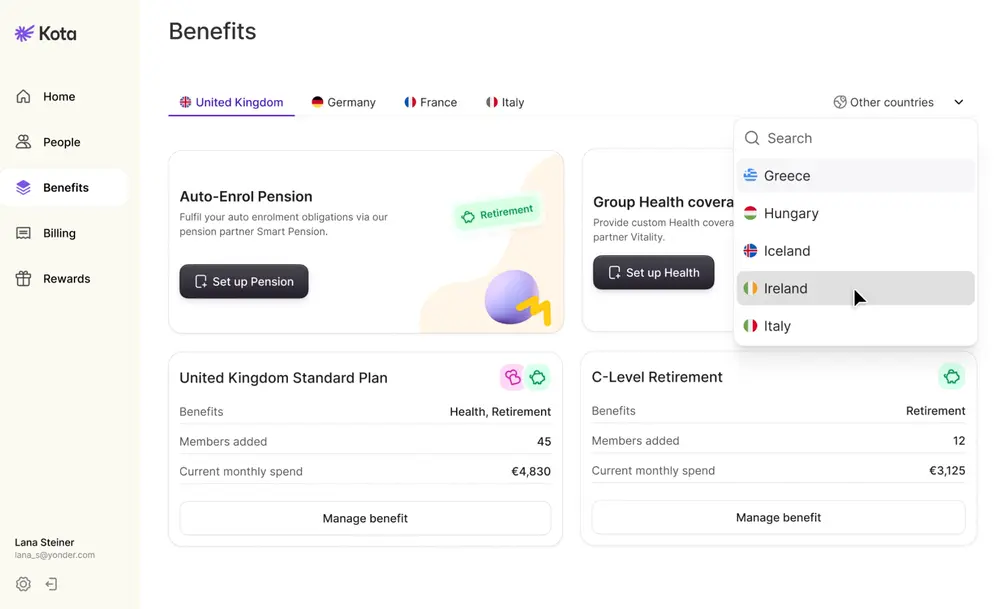
Kota is a modern broker alternative built to take all the work involved in running benefits off your plate, and deliver a much more engaging employee experience.
It’s built to handle the entire benefits journey, from HRIS integration through to end providers. Kota gives your team a single place to manage pensions, health insurance, and flexible benefits, instead of juggling multiple portals.
Employees access core and flexible benefits through an easy-to-use app, with an optional benefits spend card for additional perks. For HR, deep integrations with your HRIS and payroll systems mean Kota acts as a connector that syncs data automatically rather than adding another platform to check and update manually.
Kota operates as a benefits infrastructure, not just another admin tool.
Key features
Centralised benefits: Control health, life, retirement, and flex benefits in one central location
Flexible benefits wallet: Workers choose perks that fit their lives with a few clicks
FCA-regulated brokerage: procures and renews health insurance, pension, life assurance, and risk products
Provider Integrations: Connections to Allianz, Bupa, Smart Pension, Vitality, and more to remove the back-and-forth enrolment and data admin
Automatic HRIS and payroll sync: Syncs joiners, leavers, and salary updates automatically without needing manual data
Detailed analytics: Measure spend and engagement across different benefits and geographies.
Employee app: Employees can choose plans, control coverage and contributions, and get world-class support in the palm of their hand
Total reward statement: Live-synced benefits data shows employees what they're really worth with a full compensation breakdown in their app
Pricing
Kota offers three plans, charged per active employee:
Startup: £9 per employee per month for <30 employees.
Scale-up: £6 per employee monthly platform fee for 31-100 employees.
Mid-market: per employee monthly platform fee for 101-500 employees.
These are current prices that can change any time.
Pros
Clean, modern UX that encourages employee uptake.
Core benefits like pensions, health, and life assurance can be easily procured and automated without brokers or excessive admin.
Simple, predictable cost model (no broker surprises).
Cons
Not a full HRIS
Unsuitable for large enterprises with complex HCM ecosystems.
Best for
Scaling small-to-mid-market and mid-market companies across the UK and Europe that want an all-in-one flexible benefits platform with predictable pricing.
2. Ben
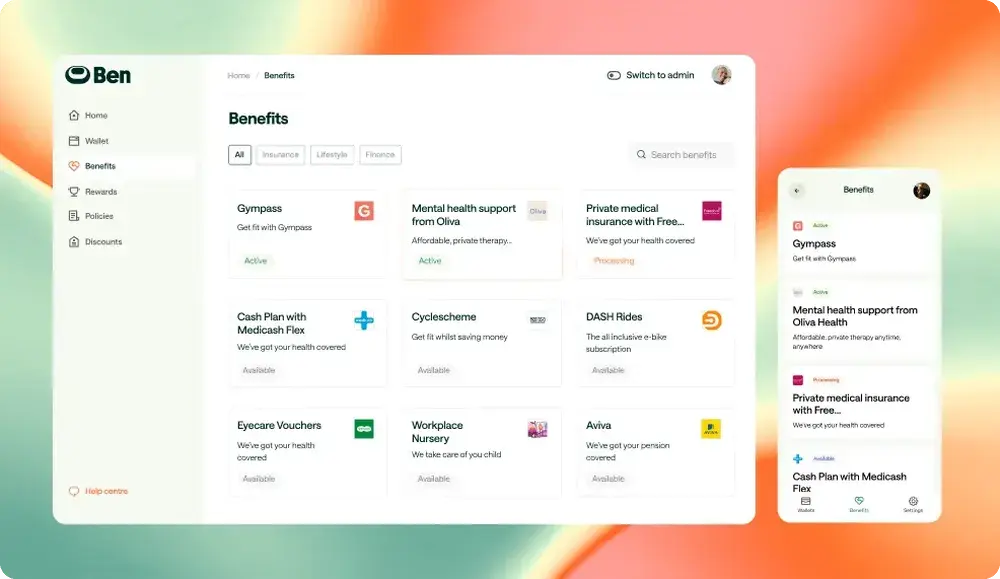
Ben, formerly Thanks Ben, is a benefits platform that blends automation with deep expertise across 140+ countries. It centralises provider catalogues, allowances, enrolment workflows, plus benchmarking, and cost tools.
The platform’s AI-driven personalisation capabilities enhance the employee experience. It also automates boring, repetitive administrative work for HR teams.
Key features
AI-powered benefit recommendations: Match employees with relevant perks effortlessly.
Flexible allowances: Enable spending on wellness, learning, and lifestyle needs
Global compliance management: Handles regulations across 140+ countries automatically
Recognition and rewards: Celebrate good work with instant monetary rewards
Marketplace integration: Connects employees to hundreds of benefit providers like BambooHR, Xero, and Medicash
Pricing
Ben uses tiered plans and custom quotes (Starter, Pro, Enterprise).
Pros
Broad catalogue supports varied employee needs.
Strong tools for cost benchmarking and international rollouts.
Good for personalised allowance strategies.
Cons
With marketplace breadth comes increased choices to manage.
Heavy customisation may require professional services.
Best for
UK-headquartered companies and fast-growing international teams that want a marketplace-style flexible benefits experience and strong support for allowances and recognition.
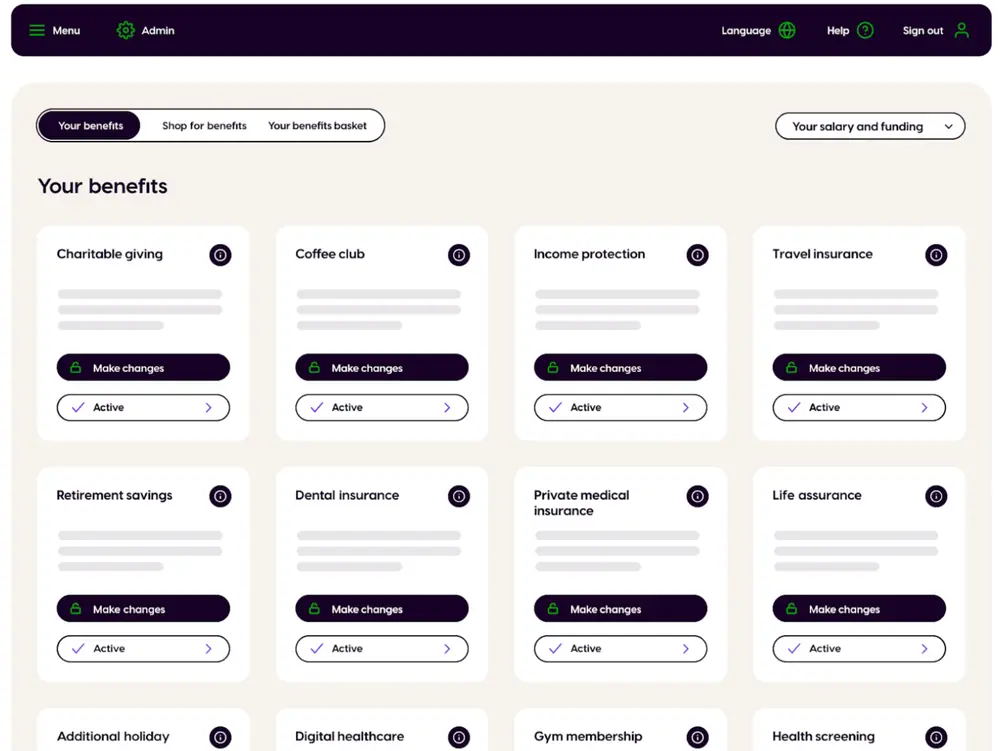
3. Zest Benefits
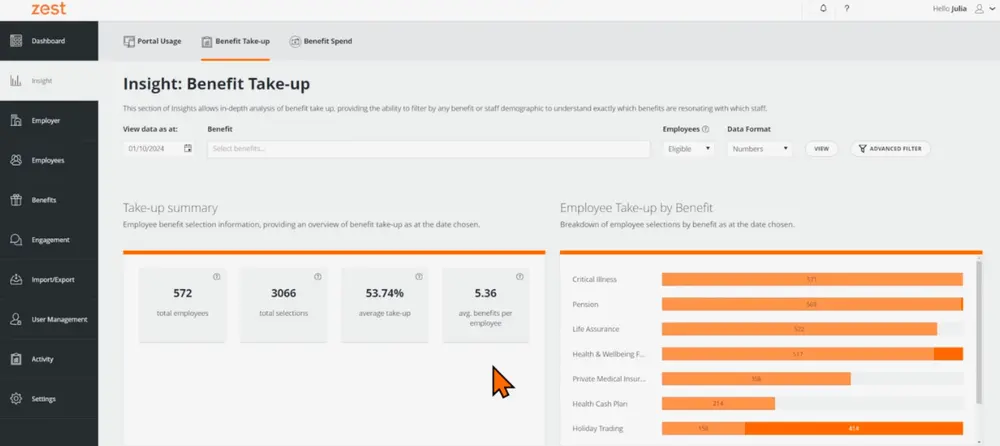
Zest is an award‑winning UK employee benefits solution. It has a flexible benefits system that consolidates multiple benefits into one employee portal.
It replaces fragmented admin with a shopping‑style experience to improve uptake.
Key features
Codeless benefit builder: Configures complex schemes without technical resources
Smart automation: Handles eligibility, selections, and reporting automatically
Real-time HRIS sync: Keeps all platforms aligned without manual work
Insights centre: Provides deep analytics on benefit usage and engagement
Self-service tools: Empowers employees to manage benefits independently
Pricing
Zest offers demo-driven, custom pricing. You contact sales for a quote.
Pros
Mature platform for UK benefits consolidation.
Works with existing providers and reduces admin fragmentation.
All-in-one platform for managing perks.
Cons
Limited to the UK market only.
Some advanced customisations may require vendor support.
Best For
Mid-market UK employers with existing legacy providers who want to consolidate benefits without replacing providers.
4. Happl
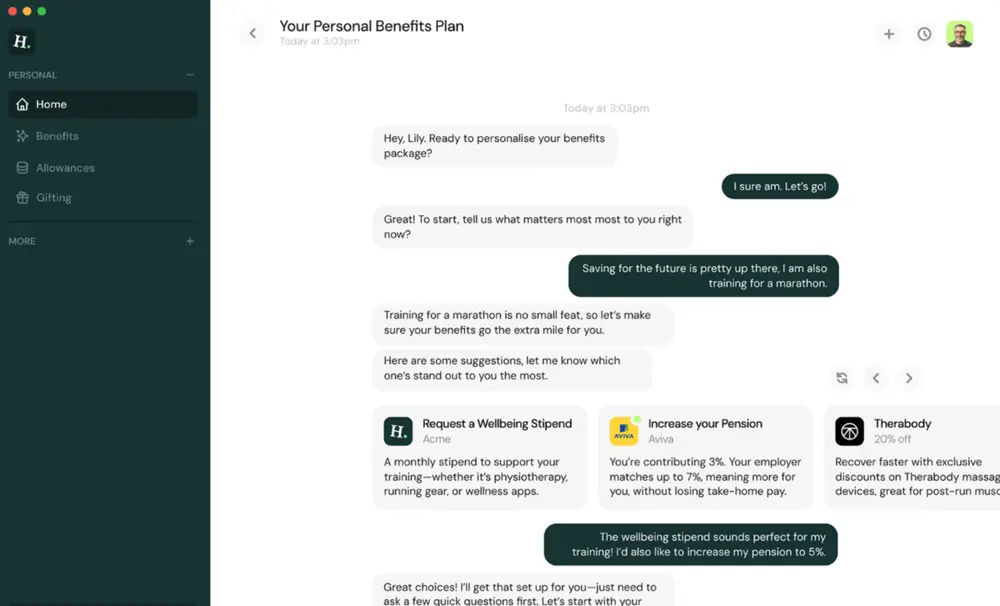
Happl is an AI‑native platform built to make benefits feel inclusive, not one‑size‑fits‑all.
It drives benefits uptake through communication, recognition, and manager‑led engagement. The platform supports flexible allowances, insurance administration and global policy management.
Key Features
Happl AI assistant: Lets employees ask questions like "benefits for back pain" and get prompt answers
100+ HRIS integrations: Automates enrolment, payroll, and compliance workflows
Manager tools: Provides budgets and insights for team engagement
Multi-currency & international payments: Run global allowances smoothly.
Flexible spend controls: Enable custom budgets by role, team, or region
Pricing
Happl uses quote-based pricing with tiers for different company sizes and global needs.
Pros
Comprehensive manager tools drive team engagement.
Built-in support for global payments and allowances.
The mobile app enables you to manage benefits anytime, anywhere.
Cons
Not a deep benefits administration engine on its own.
Costs can scale with international complexities.
Best for
Companies that prioritise engagement, recognition, and global allowances, especially distributed teams that need a polished communications layer.
5. Benifex
Benifex is an enterprise-focused platform that combines benefits, wellbeing, rewards, and recognition into an employee experience hub.
The OneHub platform gives employees one place to view their total reward package, select benefits, and access discounts. And for HR, it centralises administration across countries while integrating with existing HRIS and payroll systems to automate enrolment, reporting, and provider updates.
Key Features
OneHub platform: Combines benefits, wellbeing, rewards, and recognition in one portal
Total rewards statements: Shows employees the full value of their compensation package
HRIS & payroll integration: Connects to existing HR systems to automate data flow and reporting
Card-based allowances: Gives employees flexible spending through the Benifex wallet
Global discounts: Provides savings on major brands to stretch employee pay further
Pricing
Contact sales for a quote.
Pros
Proven at scale with major enterprises like Microsoft, Salesforce, and IKEA
Strong UK heritage with genuine global reach (100+ countries)
Combines benefits administration with engagement and recognition tools
Cons
Enterprise focus means it's less suited to SMBs
Implementation complexity for organisations with simpler needs
Custom pricing lacks transparency for budget planning
Best For
Mid-to-large enterprises that want a unified platform for benefits, rewards, and employee engagement across multiple countries.
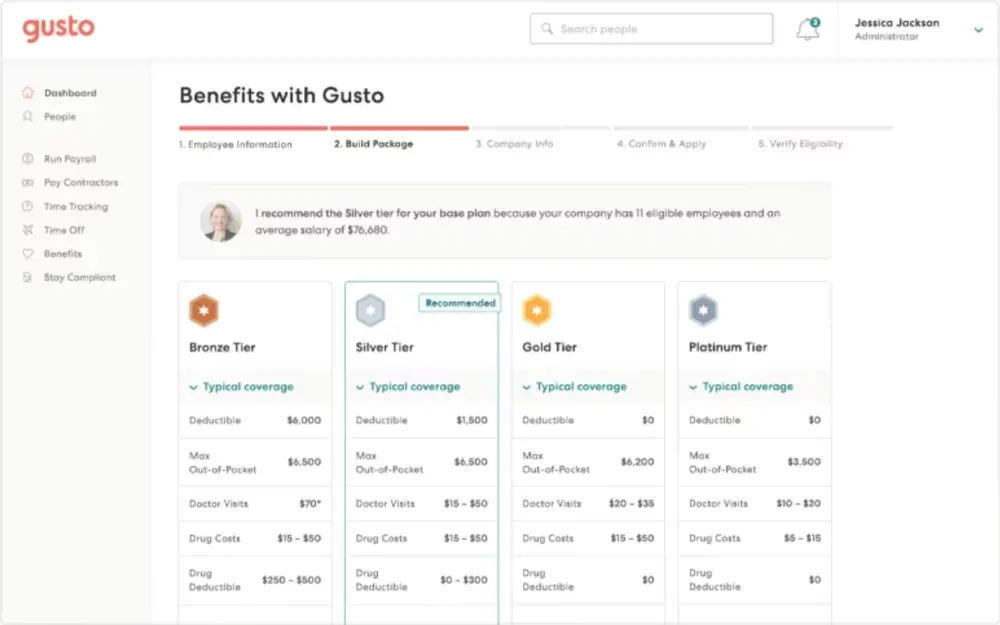
6. Gusto
Gusto (formerly ZenPayroll) began as a payroll tool and later added benefits like health insurance, retirement plans, and commuter benefits. It combines payroll, HR, and benefits in one system, replacing multiple tools.
It’s known for a friendly UX and straightforward plans for small and mid‑sized US employers.
Key Features
Automatic tax filing: Handles federal, state, and local payroll taxes, reducing manual entry
Autopilot payroll: Runs automatically for salaried employees
Gus AI assistant: Answers HR questions and automates daily tasks.
Licensed benefits advisors: Provide free guidance on plan selection for better decision-making
Extensive integrations: Connects with hundreds of providers covering every sphere
Pricing
Gusto uses a tiered base price plus per person monthly pricing approach. These are the platform’s pricing as of December 2025:
The Simple plan costs $49 per month + 6/month per person.
The Plus plan goes for$80 per month + $12/month per person.
The Premium plan is $180 + $22/month per person.
Pros
Exceptional value for small businesses with straightforward needs.
Clear, self-serve onboarding.
Licensed advisors provide benefits expertise at no extra cost.
Cons
US-only focus limits utility for international teams.
Not as flexible as modern flexible-benefits-only platforms.
Best For
US-based SMBs that want simple payroll plus basic benefits administration with minimal setup friction.
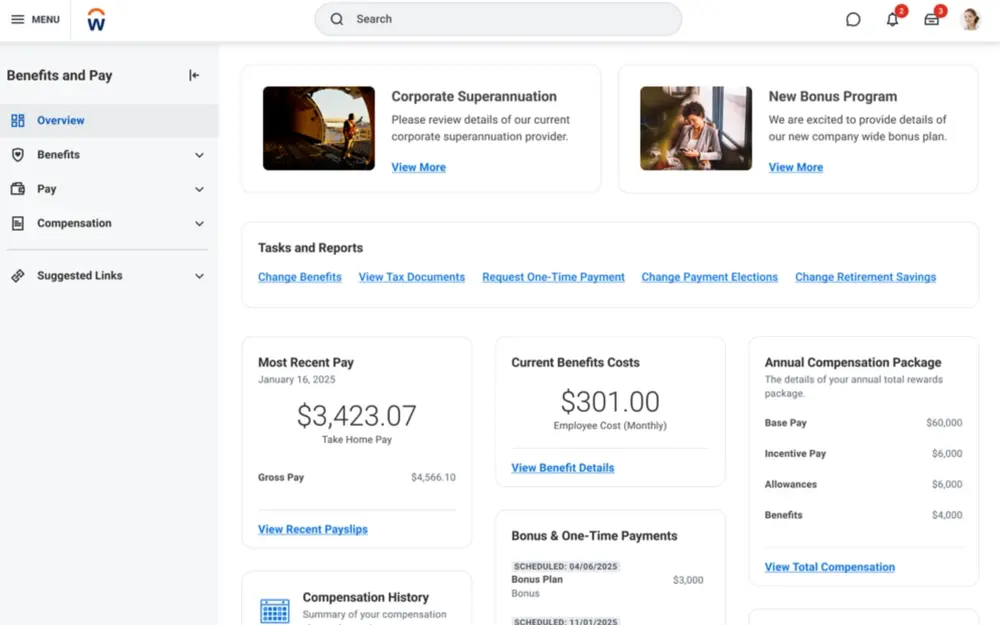
7. Workday
Workday is a large HCM suite that includes benefits administration within its HR and finance platform.
It offers guided benefits enrollment, total rewards visibility, and detailed analytics. Designed for large, complex organisations, Workday delivers enterprise‑grade capabilities.
Key Features
Benefits and pay hub: Centralises all employee information in one interface.
ACA compliance automation: Generates, transmits, and tracks required filings
Workday Cloud Connect: Integrates hundreds of carriers without IT support
Mobile enrolment: Provides guided benefits selection and enrolment from a desktop or mobile device
Total rewards statements: Show comprehensive compensation, including benefits value
Pricing
Custom pricing based on module selection, number of users, and implementation scope.
Pros
Extremely flexible and powerful for large organisations.
Excellent reporting and total rewards visibility.
Deep global compliance capabilities.
Cons
Costly and heavyweight for smaller teams.
Long implementation timelines and significant change management.
Best For
Large multinational enterprises that need a single vendor for HR, finance, and benefits. Huge companies that have the budget/time for a major implementation.
8. Reward Gateway
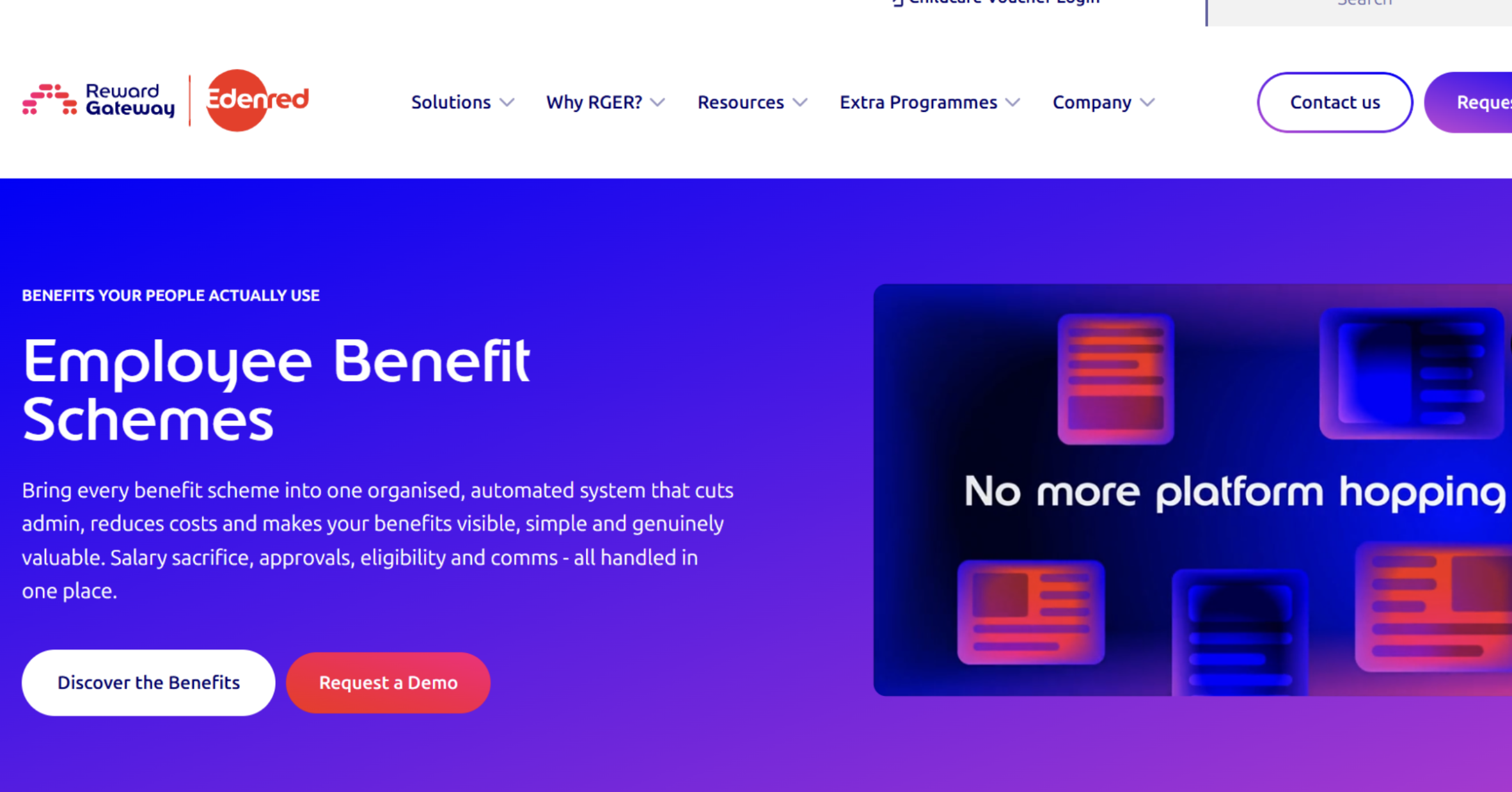
Reward Gateway, now rebranded as Reward Gateway | Edenred, centres on its EngagementOS, which brings together discounts, salary sacrifice, recognition, wellbeing, and internal communications in one system. One of its standout capabilities is BenefitsFLOW. It automates the admin behind salary sacrifice schemes. The platform is used by over 6,000 companies and 10 million employees worldwide.
Key Features
Employee discounts: Access to savings and cashback across 900+ UK retailers, supermarkets, and service providers
Salary sacrifice schemes: Cycle to Work, Car Scheme, SmartTech (tech and white goods), and Holiday Trading, all managed in one place.
BenefitsFLOW: Automated salary sacrifice administration, including eligibility checks, affordability rules, and NI savings reporting.
Wellbeing and EAP: Wellbeing content library and an Employee Assistance Programme.
Engagement analytics: Real-time reporting on scheme participation, employee savings, and NI reductions.
Pricing
Reward Gateway for Small Business (up to 100 employees) starts at £8 per employee per month on a monthly plan, or from £6 per employee per month on an annual subscription. For companies with more than 100 employees, pricing is custom and quote-based.
Pros
Strong salary sacrifice capabilities, with NI savings built into the admin workflow.
Broad platform covering discounts, recognition, wellbeing, and internal comms.
Transparent entry-level pricing for smaller teams.
Cons
Not designed to administer core insurance or pension benefits directly.
Enterprise pricing for teams above 100 employees is undisclosed without a sales conversation.
Best For
UK employers who want to consolidate employee discounts, salary sacrifice schemes, and engagement in one place. Particularly those looking to drive benefits visibility and uptake rather than core benefits administration.
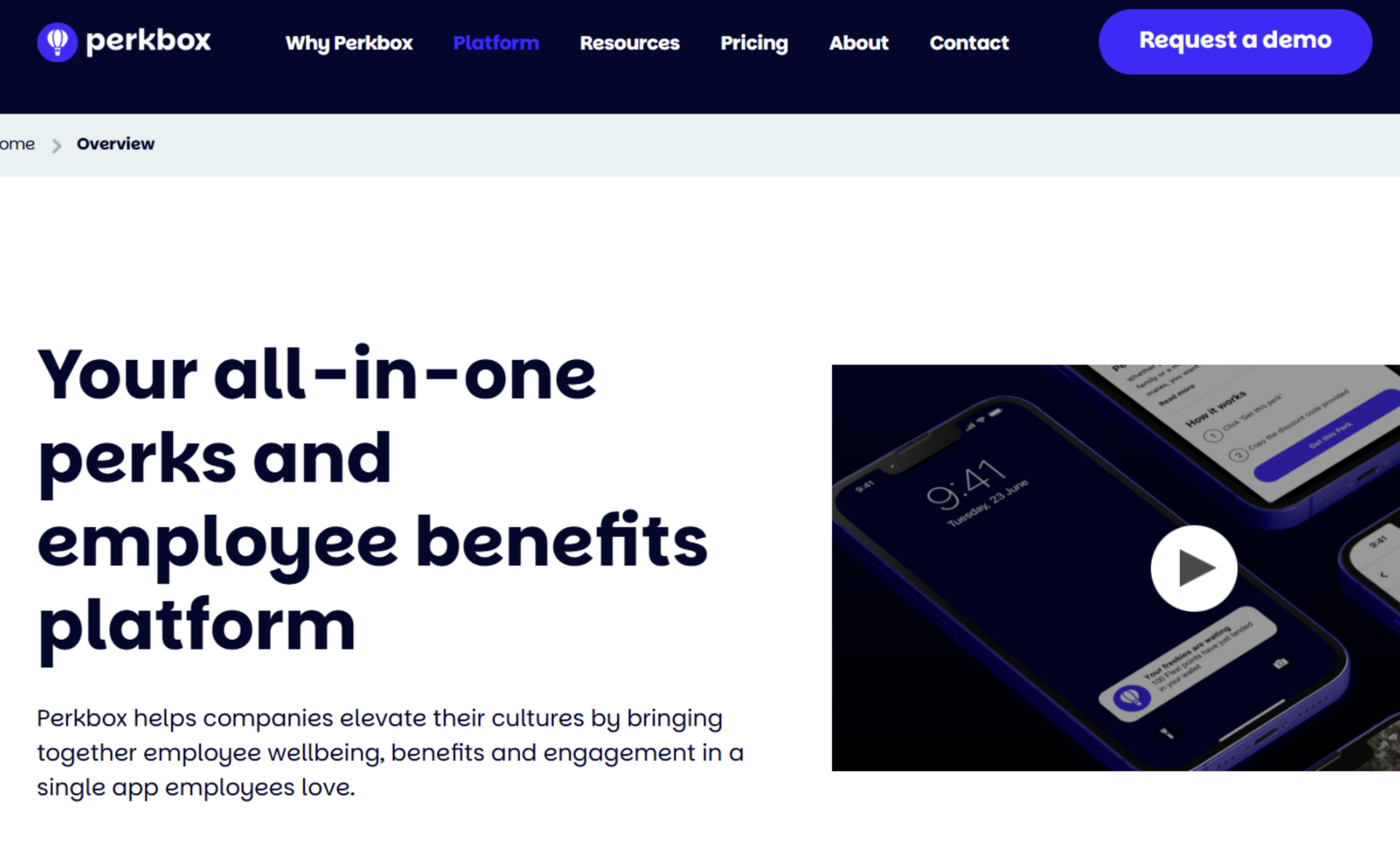
9. Perkbox
Perkbox merged with Vivup in 2024, combining Perkbox's commercial perks experience with Vivup's public sector and NHS benefits depth. It sits at the engagement end of the benefits spectrum, with discounts, salary sacrifice schemes, wellbeing, recognition, and internal comms all in one employee-facing app.
Key Features
Perks and discounts: Access to deals and savings from major UK brands, helping employees stretch their salaries on everyday purchases.
Salary sacrifice schemes: Cycle to work and car benefit (via Tusker) as salary sacrifice, plus home and electronics through payroll instalments.
Wellbeing and EAP: Curated wellbeing library, Employee Assistance Programme, Online GP, and Salary Finance tools.
Culture and comms hub: Company updates, values content, and a central feed to keep dispersed teams connected.
Admin tools: Integrations, usage insights, and employee-facing marketing materials to drive adoption.
Pricing
Perkbox uses quote-based pricing tailored to business size and the modules selected. No pricing is published on their website, so you'll need to contact sales for a figure.
Pros
Wide range of salary sacrifice schemes.
Strong employee-facing app experience, with an 89% activation rate reported on the platform.
Post-merger with Vivup adds public sector and NHS benefits capability.
Cons
No published pricing, which makes it harder to compare costs without a sales conversation.
Not designed for core insurance or pension administration
Best For
UK employers who want to give their people one app for perks, salary sacrifice, and wellbeing.
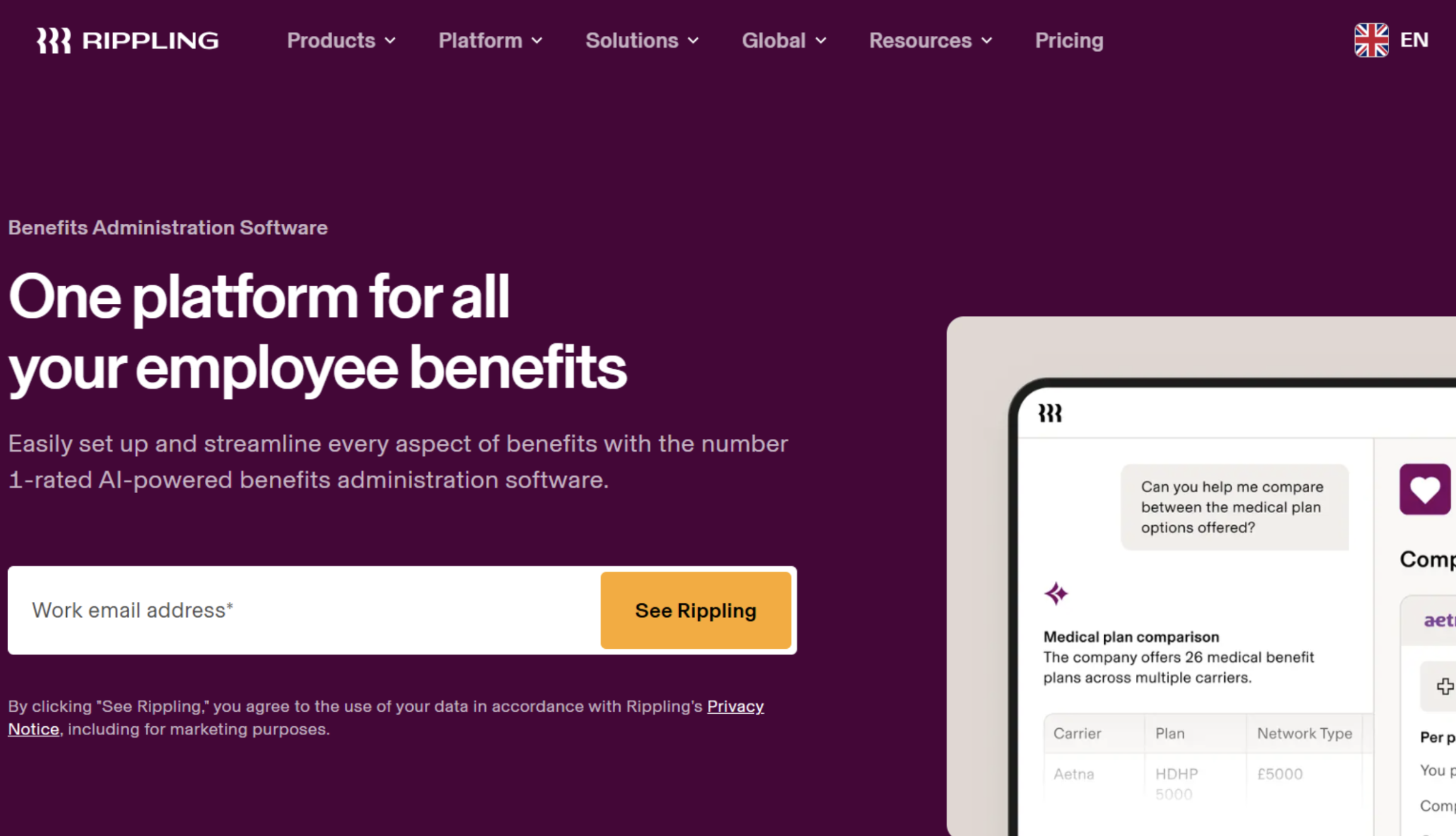
10. Rippling
Rippling is an all-in-one workforce management platform that connects HR, payroll, IT, and benefits in a single system. Originally US-built, Rippling now operates across the UK and globally. For UK teams, Rippling supports private medical enrolment through insurers like Bupa and pension auto-enrolment via Smart Pension, while its Employer of Record service handles locally compliant benefits in countries where you don't have a legal entity.
Key Features
Benefits administration: Employees compare and enrol in plans, including private medical, during onboarding, with deductions automatically synced to payroll.
Global benefits management: Locally compliant benefits across multiple countries.
HR and payroll integration: Benefits changes update payroll automatically
Policy management: Define and enforce benefits eligibility rules globally from one place.
Self-service: Employees update pension contributions, add dependants, and access plan details.
Pricing
Rippling uses custom, quote-based pricing with no figures published on the UK pricing page. You'll need to contact sales for a number.
Pros
Unified across HR, payroll, IT, and benefits.
Strong UK and global coverage.
600+ app integrations reduce the need for manual data entry across your existing tools.
Cons
Modular pricing means costs can grow significantly once you move beyond the core platform.
More platform than most teams need.
Best For
Companies with international teams, or those that want to consolidate HR, payroll, IT, and benefits in one platform.
How to Choose a Benefits Platform
Selecting an employee benefits platform isn't just about features. It's about finding the right fit for your organisation's stage, geography, and priorities.
Here’s a quick framework you can use to compare tools and avoid expensive misfits.
1. Geographic Coverage and Compliance
First, ask: where are your people today, and where will they be in two years?
Choose a platform that already supports those countries and handles local rules in the background, so you are not firefighting compliance issues later.
This is non-negotiable if you have distributed teams.
2. Integration Architecture
Benefits don't exist in isolation.
Every new benefit touches payroll, HR, and at least a few tools your team already uses.
You need to connect a host of internal and external systems, such as:
HRIS platforms to sync enrolments and plan updates
Wellness apps for ease of access
Payroll systems to reconcile deductions
Insurance carriers and benefits providers
Your ideal platform must cover all the bases of the tools you already use or want to use in the future.
3. Implementation Speed and Complexity
Complex implementation slows your team down and leads to frustration, errors, and increased costs. Rapid deployment minimizes downtime and enables a seamless transition for your HR teams and employees.
Time-to-value matters.
You can implement some benefits solutions in weeks, while some enterprise solutions may take you months.
Does the platform’s implementation timeline match your company’s time considerations?
4. Employee Experience
Benefits only work if your employees use them.
The best platforms come with:
Intuitive user interface so employees find what they want easily
Mobile apps for on-the-move, always-on access and management
Self-service to empower workers so they feel in control
Tailored experiences to match benefits to individual needs
Above all, a good UI/UX reduces the number of employee queries your people team will need to answer day-to-day.
5. Scalability and Pricing Model
Consider your growth trajectory.
Choose a benefits platform that meets your current business size and is also able to accommodate future growth.
Understand whether pricing scales linearly or includes step-function increases.
6. Support and Expertise
For employees to make the right choices, they need to be taught.
This is especially true for complex benefits like personalised wellness stipends and lifestyle perks. Some platforms include benefits consultancy alongside technology. Others focus purely on software.
Determine whether you need strategic guidance or just better tools.
5 Key Features to Look For In An Employee Benefits Platform
Here’s what leading platforms, including Kota, Ben, and Zest, deliver for modern HR teams:
1. Integrations
Look for tools that connect smoothly with all the tools that combine to make the best benefits packages.
Kota has strategic integrations with major providers in different areas:
HRIS and Payroll Platforms, such as BambooHR, Remote.com, and Workday.
Insurance companies, like Allianz Global Care, Vitality, and Allianz Care.
Pension providers, namely Smart Pension (UK) and Irish Life (Ireland).
2. Support for core offerings like Private Medical & Pensions
A lot of platforms will help with hosting existing benefits, but few will do the work of a traditional broker and remove the ongoing admin and renewal season chaos.
If your platform doesn't sync to providers directly, you'll end up doubling or tripling up on a lot of tasks - updating employee data across providers, your benefits platform, and your HRIS.
You'll also end up paying for both a broker and a platform, instead of having the best of both inside one tool.
3. Payroll reconciliation
Look for a solution with built-in payroll reconciliation that’ll verify carrier invoices against enrolment/payroll data to catch errors like:
Overpaying
Missed coverage, or
Incorrect deductions
This prevents costly issues and supports legal adherence.
All Kota plans, be it Startup, Scale-up, or Mid-market, automate reporting and payroll reconciliation.
4. Employee wallet and personalisation
Modern employees expect flexibility. They get frustrated by rigid, take‑it‑or‑leave‑it schemes.
Kota offers a wallet where employees can pick benefits that match their life stage.
5. Transparent pricing
Clear pricing is vital for weighing your options and budgeting purposes.
Hidden pricing often comes with surprise costs that can throw your team off-balance.
Public pricing per active employee (like Kota’s) reduces procurement friction and budgeting surprises.
Employee Benefits Program Implementation Tips
Here are some quick-fire implementation tips and industry best practices
Speak with employees and benefits experts. Survey your team to understand their priorities, then work with specialists to design a package that balances employee needs with budget realities.
Begin talking about the new platform 4-6 weeks before launch. Focus on what’s changing for employees and how it helps them, not just on process and deadlines.
Train managers as champions to influence employee behaviour. Give them quick reference guides and demo accounts.
Run a small pilot with a specific department. Pilot the platform in a small context, gather feedback, and iterate before a full rollout.
Integrate the payroll before the first payroll cycle.Validate if the payroll sync includes benefit deductions to prevent errors and nasty employee experiences.
Use the analytics dashboardto monitor chosen benefits. Evaluate the numbers and tailor education campaigns towards underused benefits. Kota has insight tools for this purpose.
In short, make rollout painless and maximise adoption.
Ready To Make Employee Benefits a Competitive Advantage?
Employee benefits aren’t just a nice side-dish.
In today's highly competitive job market, it can become the edge you need to attract and retain elite employees. Do you want a modern benefits platform that:
Gives employees control over their benefits and contributions?
Makes pensions and other core benefits easy to understand?
Syncs directly with health and pension providers to eliminate admin?
Gives you and your employees on-the-go access to their benefits?
Has a team of benefits experts on-hand to build packages and solve employee queries?
Keeps pricing predictable?
Handles the entire employee benefits journey?
Kota is the best starting point for UK and European SMEs looking for an efficient all-in-one benefits platform that replaces brokers, tools, and spreadsheets.
Trevor Gardiner QFA, RPA, APA in Insurance. With 23 years of experience in Financial Services, I have a strong passion for Health Insurance and Pensions.
Benefits renewal coming up?
Get a free read on your employee benefits scheme with a qualified benefits expert.
.webp)
.webp)
.png)
.png)
.png)

.png)
.png)
.svg)
.svg)
.svg)